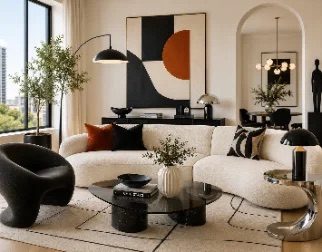
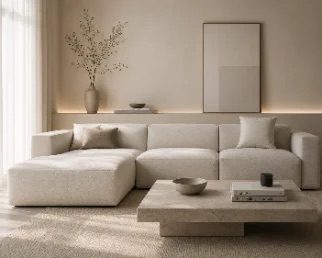
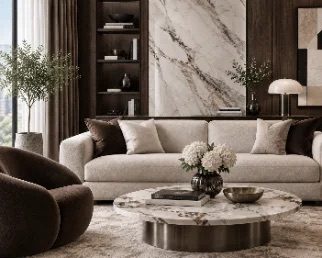
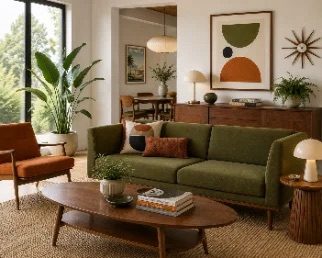
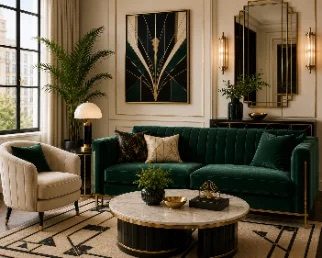
Snap your room, choose a style and a palette — AI Decor reimagines the furniture, colors and décor in about twenty seconds, while the walls and windows stay exactly where they are.
No sketches, no mood boards, no measuring tape. A single photo is all AI Decor needs to show you what your room could become.
01
Snap a photo
Take a picture or pick one from your library. Shoot straight on, in good light, with the whole room in frame — the in-app guide shows you how.
02
Name the room
Tell the AI what it’s looking at, from the living room to the attic.
Living roomBedroomKitchenHome office+10 more
03
Pick a style
Choose from twelve curated styles or describe your own in a few words. Out of ideas? The magic wand suggests one.
04
Set mode & palette
Keep your layout and refresh the finishes, or let the AI redesign the room from scratch. Finish with one of fourteen palettes.
About 20 seconds later your design lands on your board — slide between before and after, then save it to Photos or share it.
Two ways to transform a space
Interior redesign & virtual staging.
Refresh a room you already live in, or furnish one that’s standing empty. Both modes keep the architecture of your photo intact.
EmptyStaged
Interior
Redesign your room
For the space you live in — try a new look before you buy a single cushion.
Keep the layout
Furniture stays where it is — finishes, textiles and lighting are updated.
Redesign the room
Only walls and windows stay — furniture and finishes will be new.
Virtual Staging
Stage an empty room
Turn a bare space into a furnished room, ready for your listing, rental or new-build walkthrough.
Just add furniture
Walls, floor and windows stay exactly as in your photo.
Furnish and refresh
Walls and floor are updated too — the room looks renovated.
The style library
Twelve looks. Endless rooms.
Each style is tuned for believable, livable interiors — not showroom renders. Pick one, mix it with a palette, or write your own.
ModernNo. 01
ScandinavianNo. 02
CozyNo. 03
MinimalistNo. 04
LuxuryNo. 05
BohoNo. 06
RusticNo. 07
JapandiNo. 08
CoastalNo. 09
Mid-Century ModernNo. 10
IndustrialNo. 11
Art DecoNo. 12
Describe your own
Nothing fits? Type the room you’re dreaming of — or tap the wand for a suggestion.
Warm walnut, linen and brass, with soft evening light
Color, considered
Fourteen palettes, mixed by designers.
Each palette balances a base, an accent, wood and textile tones — so the result feels cohesive, not random. Feeling brave? Tap Surprise Me.
No. 01Cream & Oak
No. 02Mushroom
No. 03Soft Grey
No. 04Olive Green
No. 05Deep Forest
No. 06Dusty Blue
No. 07Deep Navy
No. 08Terracotta
No. 09Dusty Rose
No. 10Lilac
No. 11Burgundy
No. 12Charcoal
No. 13Bright Mix
No. 14Jewel Tones
AI Decor Pro
Unlock every design.
Photorealistic AI redesigns of any room
Interior and Virtual Staging modes
Twelve styles, fourteen palettes — or your own description
Before-and-after slider for every result
Save and share in full quality
WeeklyA fresh set of designs every week
MonthlyA fresh set of designs every month
Best for projectsYearlyDesigns refresh every month
Need more? Design packs of 20, 50 or 120 designs top up your balance — and never expire.
Pro is an auto-renewable subscription. Payment is charged to your Apple Account when you confirm the purchase. It renews automatically unless cancelled at least 24 hours before the end of the current period; you can manage or cancel it anytime in your Apple Account settings. Current prices are shown in the app and may vary by country. See the Terms of Use and Privacy Policy.
Privacy
Your home stays yours.
Photos of your home are personal. AI Decor is built to keep as little as possible, for as short as possible.
Yes — that’s the point. AI Decor redraws your photo rather than inventing a new room, so the architecture stays in place. “Keep the layout” even leaves the furniture where it is and updates finishes, textiles and lighting; “Redesign the room” keeps only the walls and windows.
Results are AI visualizations, so small details can differ from reality.
What kind of photo works best?
Stand in a corner or doorway, hold the phone straight, and get the whole room in frame. Daylight helps a lot. For virtual staging, photograph the empty room straight on.
How do Pro and designs work?
Each Pro plan includes a set number of designs per period — the yearly plan refreshes them every month. Subscription designs that aren’t used don’t carry over. Need more? Design packs add extra designs that never expire. If a generation fails, the design goes straight back to your balance.
How do I cancel my subscription?
Subscriptions are handled by Apple. On your iPhone, open Settings → your name → Subscriptions → AI Decor, and tap Cancel Subscription. Cancel at least 24 hours before the renewal date to avoid the next charge.
Can I use the designs in a property listing?
Yes. Just be transparent: many markets and listing services require virtually staged or AI-edited photos to be labeled as such. It’s your responsibility to follow the rules where you advertise.
What happens to my photos?
When you tap Generate, the photo and your choices are sent over an encrypted connection to our AI provider to create the design. We don’t keep them on our servers, and the provider doesn’t use them to train its models. Everything else stays on your iPhone. The full details are in our Privacy Policy.